








Manage email signatures for your entire team

Keep every signature consistent across your company. Works on all email clients, with 1-click install for Google Workspace.

5-minute setup
Free plan available
No credit card required
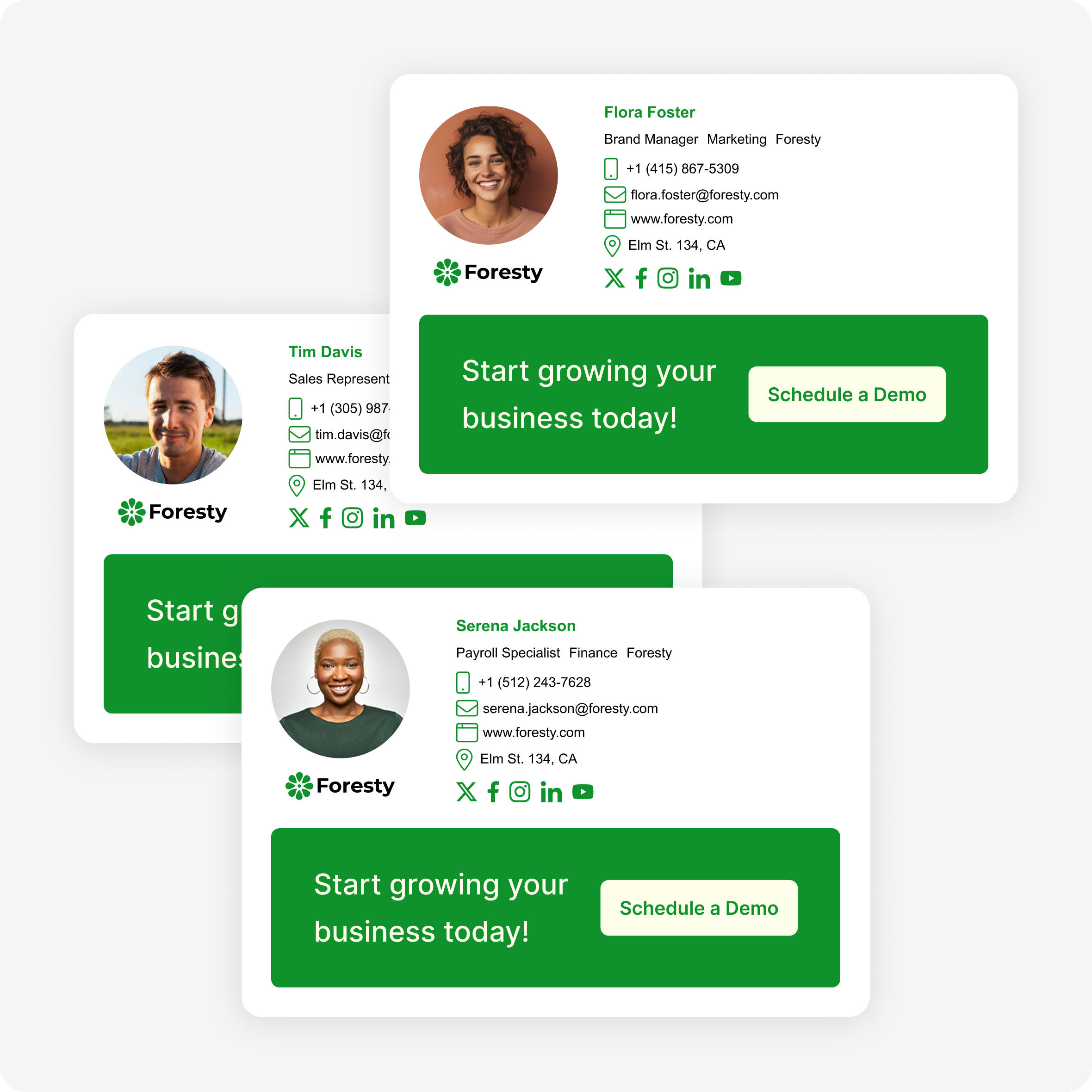
Three professional team email signatures managed with Firma for Google Workspace

Everything your team needs for professional email signatures

One tool to create, deploy, and keep every signature on-brand — without chasing employees or opening a support ticket.

1-Click Google Workspace Install

Deploy signatures to your entire team straight from the Google Workspace Marketplace — no IT ticket, no manual steps.

Centralized Team Management

Create, edit, and assign signatures to every employee from one dashboard. Changes sync to the whole team instantly.

Consistent Brand in Every Email

Same logo, fonts, and contact details across every email your team sends — automatically, with no chasing employees.

Works on All Email Clients

Gmail, Outlook, Apple Mail, mobile — Firma signatures render perfectly everywhere, on any device.

Professional Templates

Start from a library of beautifully designed templates and customize them to match your brand in minutes.

Update Once, Sync Everywhere

Change a phone number or add a new banner? Update it once and every employee's signature reflects it immediately.

Set up company-wide email signatures in 5 minutes

No IT department. No manual installs. No chasing employees.

01

Design your signature

Use the editor to build a professional signature with your logo, brand colors, and team member details.

02

Deploy to your team

Install Firma from the Google Workspace Marketplace and push signatures to your entire organization in one click.

03

Update once, sync everywhere

Need to make a change? Edit it once in Firma and every employee's signature updates automatically — no follow-up required.

Every email your team sends is a branded touchpoint

Your team sends hundreds of emails every day. With Firma, each one carries a consistent, professional signature that reinforces your brand — automatically, without any extra effort from your employees.

  • Consistent logo, contact details, and branding in every outbound email
  • No more outdated signatures with old phone numbers or job titles
  • Add social links, website URLs, and CTAs to drive traffic from your emails
  • Works on all email clients — Gmail, Outlook, Apple Mail, and mobile

Before Firma

12 employees. 12 different signatures. Half with old phone numbers. Two with no logo. One still showing a previous job title.

After Firma

Every email your team sends looks identical, on-brand, and up to date — managed from one place, updated in seconds.

Frequently asked questions

Everything you need to know about managing email signatures with Firma.

Ready to standardize your team's email signatures?

Set up in 5 minutes. Free plan available. No credit card required.